Computer Vocabulary
Computers play an important role in modern life, helping people communicate, learn, create, and solve problems using technology. This free printable computer vocabulary list provides definitions for important terms and can be used for classroom learning, vocabulary review, and related puzzle activities.


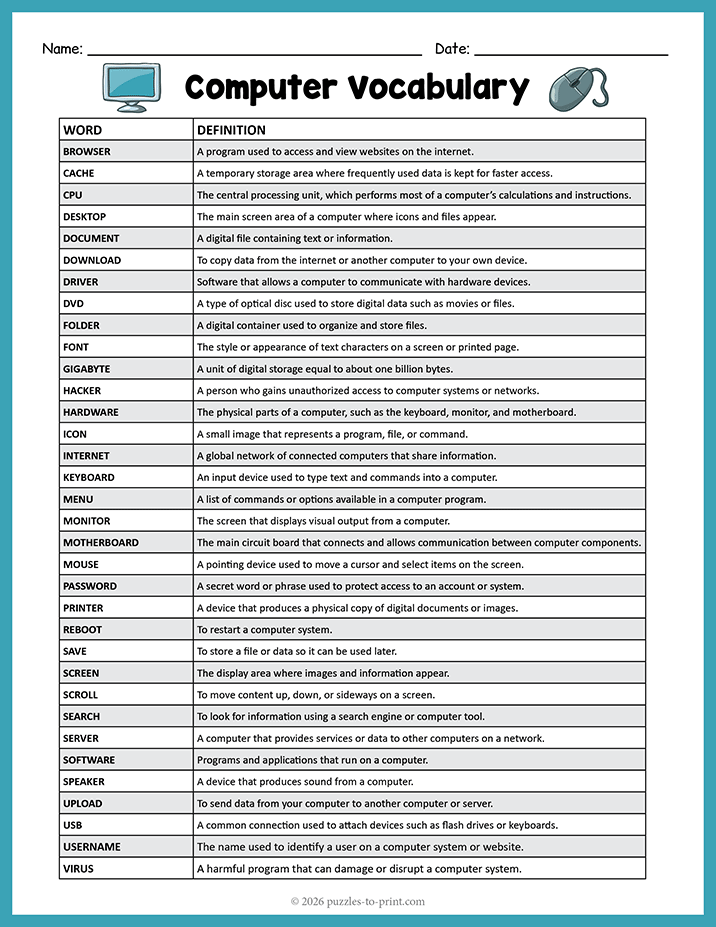
Computer Terms and Definitions
| Word | Definition |
|---|---|
| Browser | A program used to access and view websites on the internet. |
| Cache | A temporary storage area where frequently used data is kept for faster access. |
| CPU | The central processing unit, which performs most of a computer’s calculations and instructions. |
| Desktop | The main screen area of a computer where icons and files appear. |
| Document | A digital file containing text or information. |
| Download | To copy data from the internet or another computer to your own device. |
| Driver | Software that allows a computer to communicate with hardware devices. |
| DVD | A type of optical disc used to store digital data such as movies or files. |
| Folder | A digital container used to organize and store files. |
| Font | The style or appearance of text characters on a screen or printed page. |
| Gigabyte | A unit of digital storage equal to about one billion bytes. |
| Hacker | A person who gains unauthorized access to computer systems or networks. |
| Hardware | The physical parts of a computer, such as the keyboard, monitor, and motherboard. |
| Icon | A small image that represents a program, file, or command. |
| Internet | A global network of connected computers that share information. |
| Keyboard | An input device used to type text and commands into a computer. |
| Menu | A list of commands or options available in a computer program. |
| Monitor | The screen that displays visual output from a computer. |
| Motherboard | The main circuit board that connects and allows communication between computer components. |
| Mouse | A pointing device used to move a cursor and select items on the screen. |
| Password | A secret word or phrase used to protect access to an account or system. |
| Printer | A device that produces a physical copy of digital documents or images. |
| Reboot | To restart a computer system. |
| Save | To store a file or data so it can be used later. |
| Screen | The display area where images and information appear. |
| Scroll | To move content up, down, or sideways on a screen. |
| Search | To look for information using a search engine or computer tool. |
| Server | A computer that provides services or data to other computers on a network. |
| Software | Programs and applications that run on a computer. |
| Speaker | A device that produces sound from a computer. |
| Upload | To send data from your computer to another computer or server. |
| USB | A common connection used to attach devices such as flash drives or keyboards. |
| Username | The name used to identify a user on a computer system or website. |
| Virus | A harmful program that can damage or disrupt a computer system. |
| Windows | A widely used operating system developed by Microsoft. |
Practice What You Have Learned
These related computer puzzles provide a fun way to review and reinforce the vocabulary terms listed above.


Find more printable vocabulary lists to support your classroom teaching.
How to Use This Computer Vocabulary List
Students can review the terms before beginning an computer themed puzzle, refer to the definitions while completing an activity, or use the vocabulary list afterward for reinforcement. It is also useful for introducing new science words before a lesson on computer.
For younger students, you may want to choose a few key words from the list and discuss them together. Older students can use the full list as a study guide or as support while completing independent work.
Teaching Ideas
Try asking students to choose several vocabulary words and use each one in a sentence. They can also sort the terms.
Another simple activity is to have students cover the definitions and quiz themselves or a partner. This helps turn the list into an active vocabulary review instead of just a reference page.